Work that speaks for itself.
A look at the systems we’ve built, anonymized to protect our clients but fully intact so you can see exactly what you’d be getting.
Creative Publisher HQ
This client came to us running a content-heavy creative publication: articles, digital products, a newsletter, and social media, all tracked across a tangle of notes, browser tabs, and half-formed spreadsheets. They had a business that was working. Their systems weren’t.
We built a complete business HQ in Notion: seven interconnected sections covering every dimension of the operation, all accessible from a single home dashboard they open every morning.
The content calendar tracks every article from idea to published across six content pillars. The product pipeline follows every digital product from concept to live sale. The social post scheduler queues content across platforms. And the launch milestone dashboard means every product launch starts with the same complete checklist — automatically generated the moment a new product is added.
Everything connects. The content calendar talks to the social scheduler. The product pipeline links to the launch milestones. Seven automations run in the background so the publisher never has to manually remember what happens next.
What was built
Content Calendar: every article tracked from idea to published, with status, pillar, and publish date
Product Pipeline: every digital product from concept to live sale with pricing and stage
Newsletter Tracker: every issue from draft to sent, building from articles already in the calendar
Social Post Scheduler: posts planned across Instagram, Pinterest, and Facebook — most generated automatically on article publish
Affiliate & Partner Tracker: every partnership with commission rates, application dates, and follow-up reminders
Launch Milestone Dashboard: every launch mapped with milestones, owners, and due dates — the same checklist, every time
Automations Blueprint + Handoff Guide: seven documented automations and full written documentation for day-one use
Automations included
- New article idea submitted — Content Calendar entry created automatically
- Article published — social promotion tasks created for each platform
- Articles tagged as Newsletter Pick — issue draft created automatically
- New product added — full launch milestone checklist generated
- Launch complete — post-launch review reminder scheduled 14 days later
- Affiliate outreach sent — follow-up reminder created for 10 days out
- Every Monday at 8 AM — weekly digest email with open tasks and upcoming deadlines
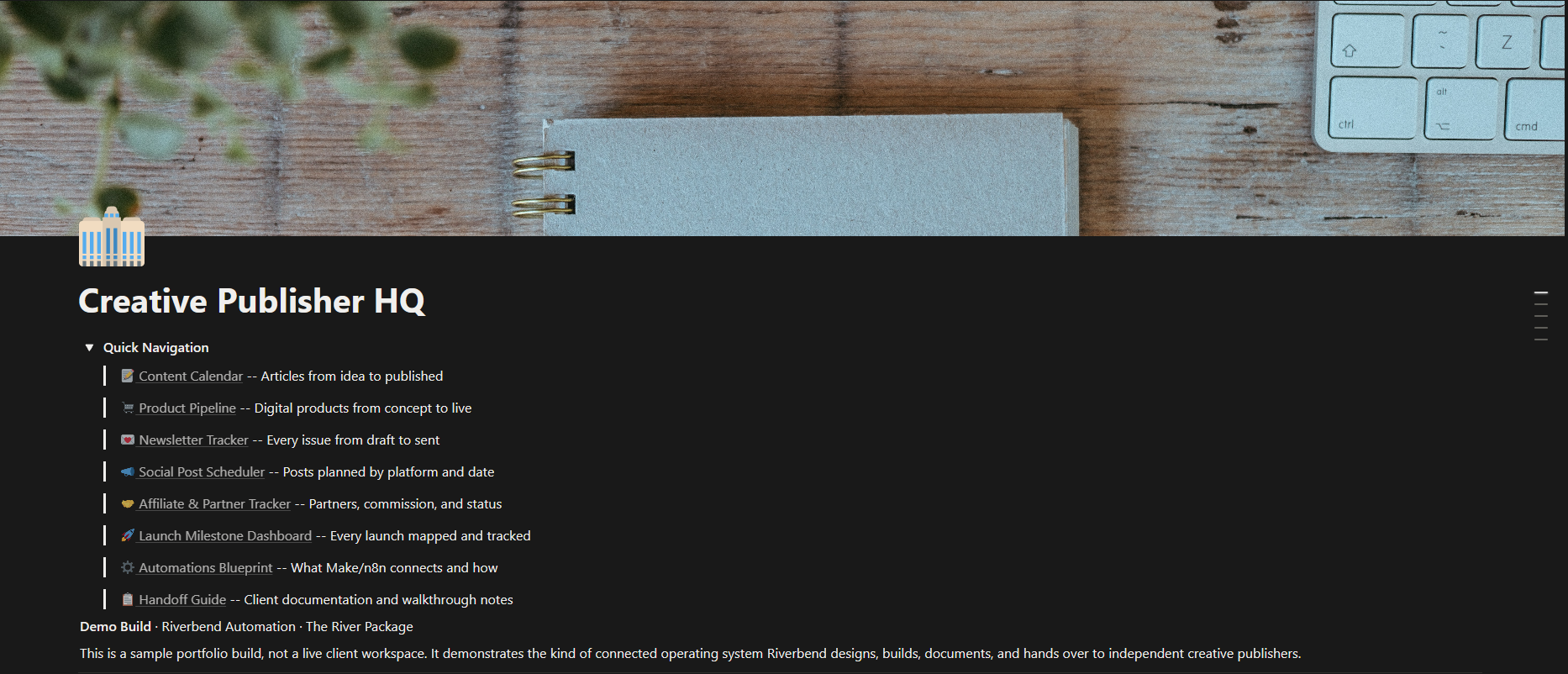
Workspace homepage with Quick Navigation toggle
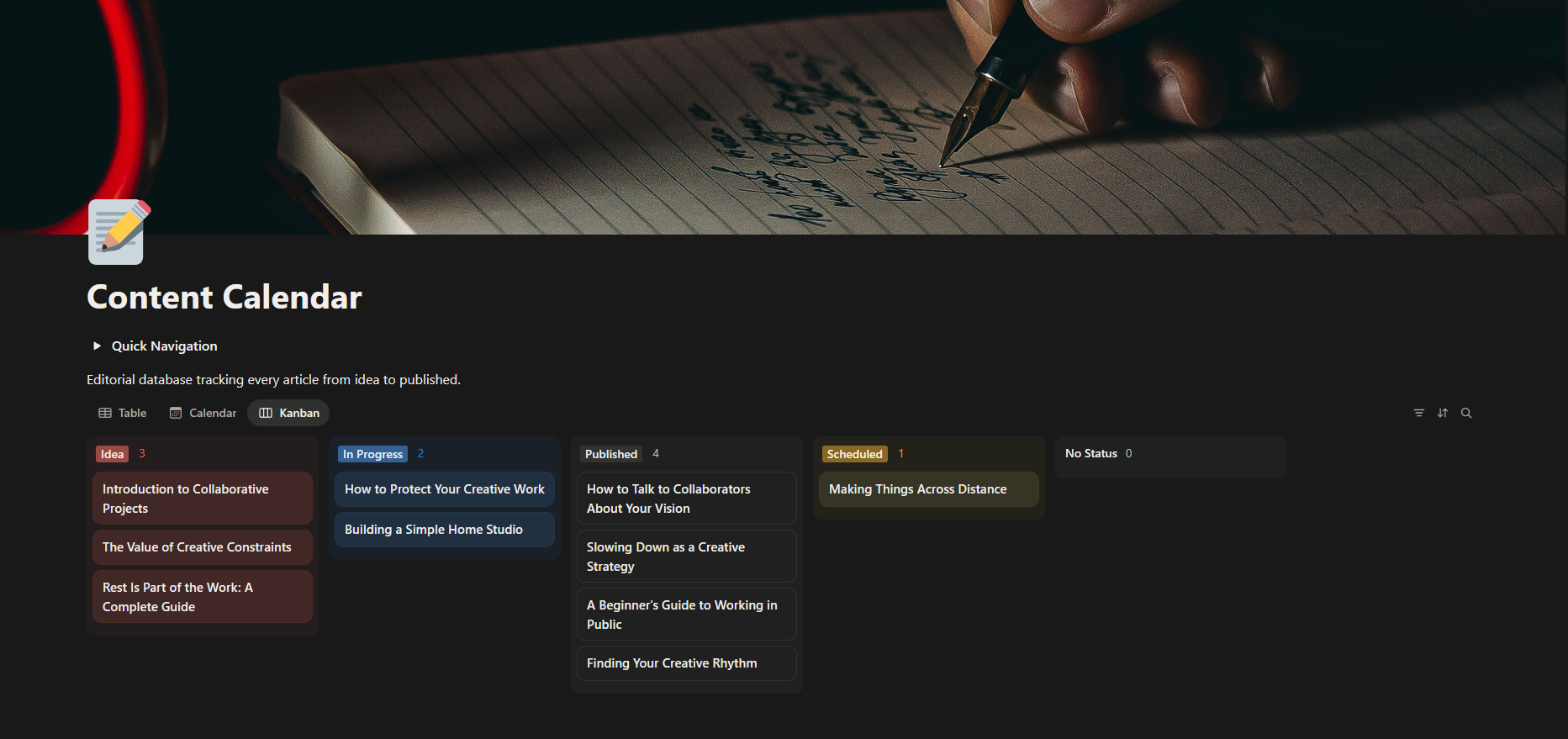
Content Calendar — kanban
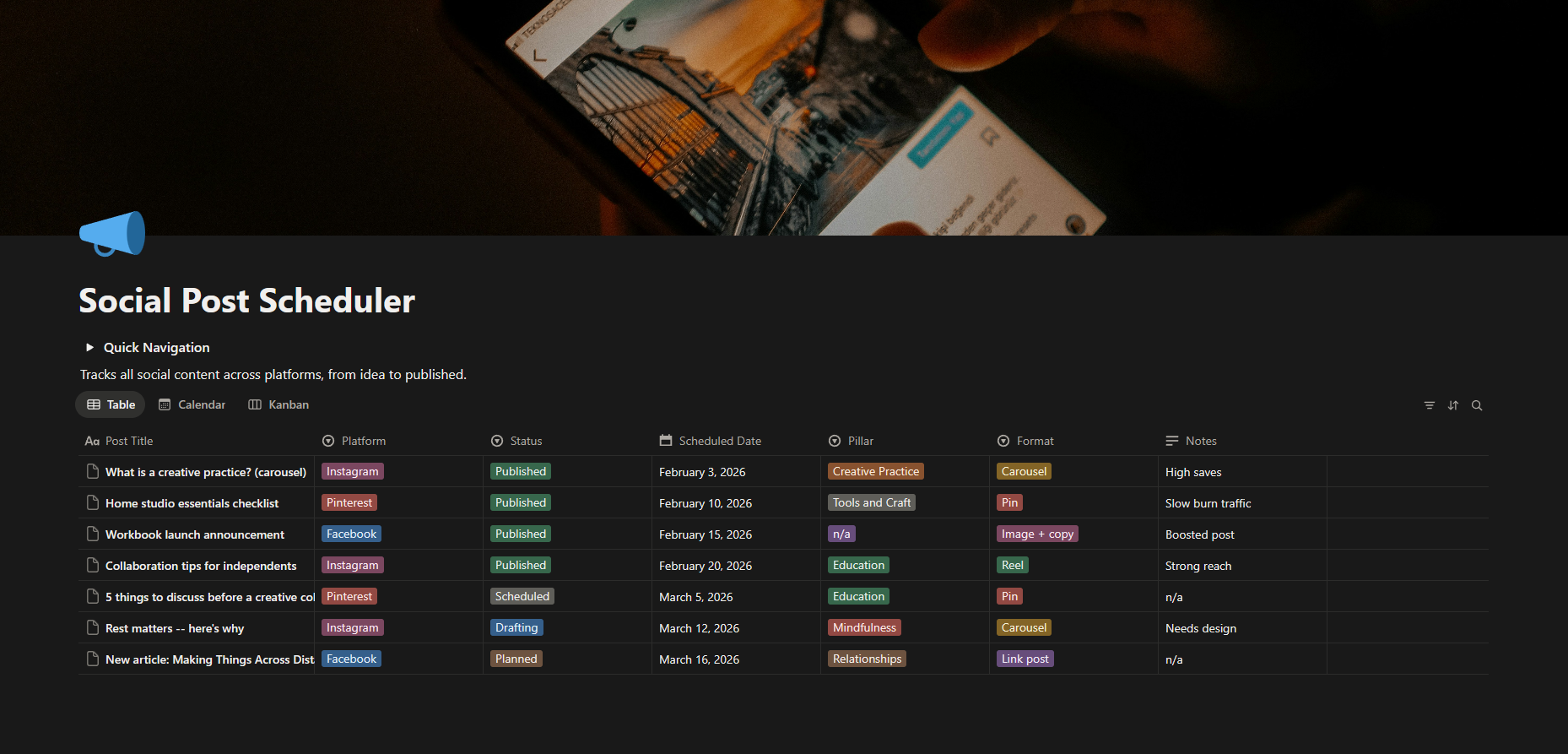
Social Post Scheduler
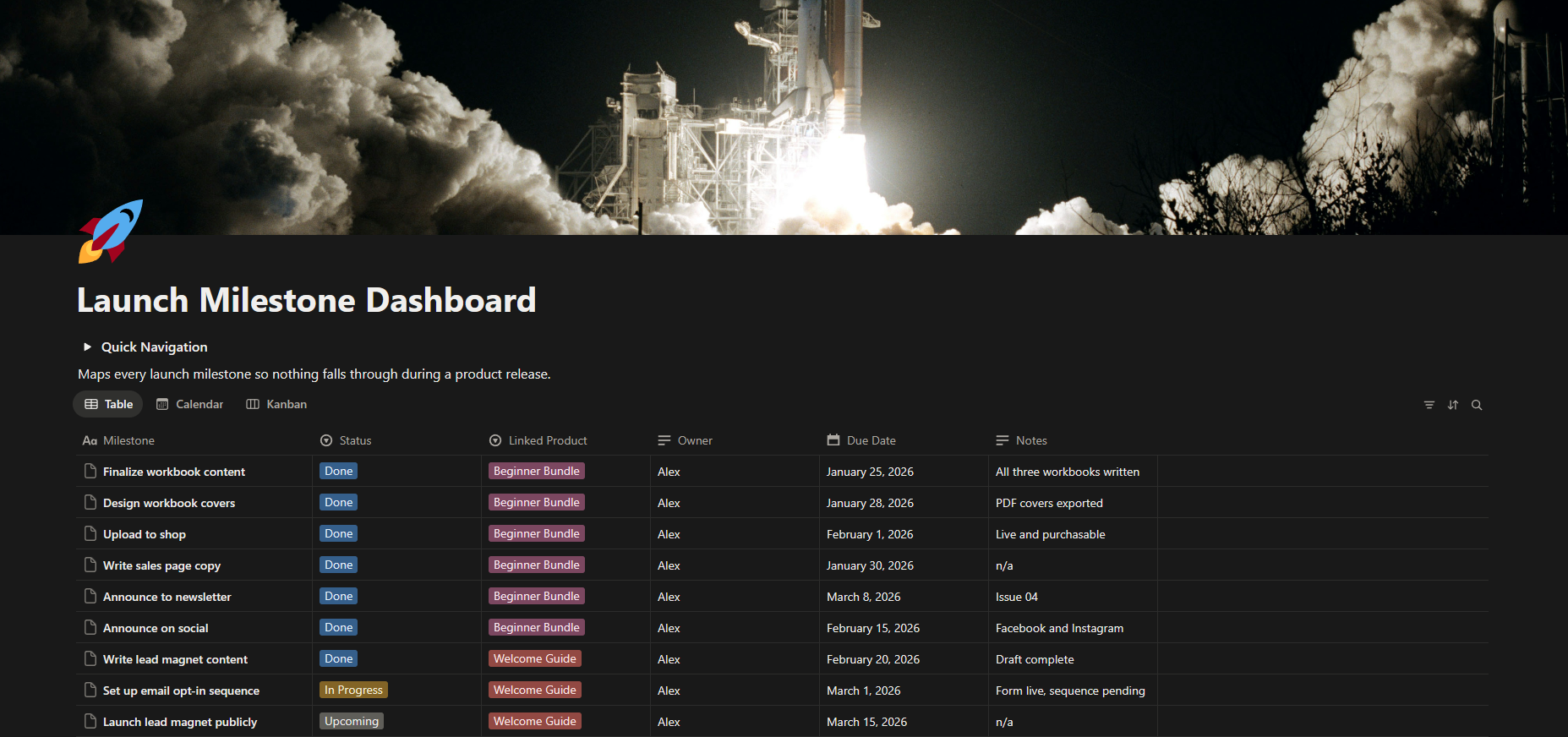
Launch Milestone Dashboard
The live workspace is publicly accessible. Browse the actual databases, open the Handoff Guide, and see the Automations Blueprint. The $49 template on Gumroad is the self-serve version of this exact build.
Every workspace is built from scratch.
We don’t use templates dropped into your account and called a day. Every system is designed around how your specific business actually works: your vocabulary, your workflow, your brain. More case studies are on the way as we document finished work.
Want something like this?
Browse our packages and find the starting point that fits where you are right now.
See services